A note-taker gives you what was said. How the meeting went, and how you said it, is what you need for the next one.
It is Tuesday afternoon, and the launch review is over. The notes are already in the team channel, and they are accurate. The date moved to October 14, because the supplier contract is not signed and legal needs five working days. What they do not say is how the meeting went, or how your own part of it came across. (The meeting is invented, and is the example we use across this site.)
A note-taker gives you what was said. How the meeting went, and how you said it, is what you need for the next one. This post compares what a standard AI note-taker, a general AI chat and PokaMind Notes each give you after that meeting, and where each one stops.
What does an AI note-taker do well?
A lot, and it is fair to say so. A standard AI note-taker captures a meeting without anyone typing. It gives you a transcript you can search, a summary, and a list of action items with owners. For the launch review that is the new date, the supplier contract and Tom sending it to legal. It saves the hour someone would have spent writing it up, and it makes the facts easy to find three weeks later. If what you need is a record, a note-taker does that job, and you may not need more.
What does a note-taker miss?
In a meeting, people take in more than the words. They notice which point the room settled first. They notice which idea drew questions, and which was dropped, based on what was said next. They notice what was left open, and whether they rushed the part that mattered. By the next meeting most of that has faded, because nobody wrote it down. A note-taker writes down the words. It does not write down how the meeting went.
The same meeting, written up two ways
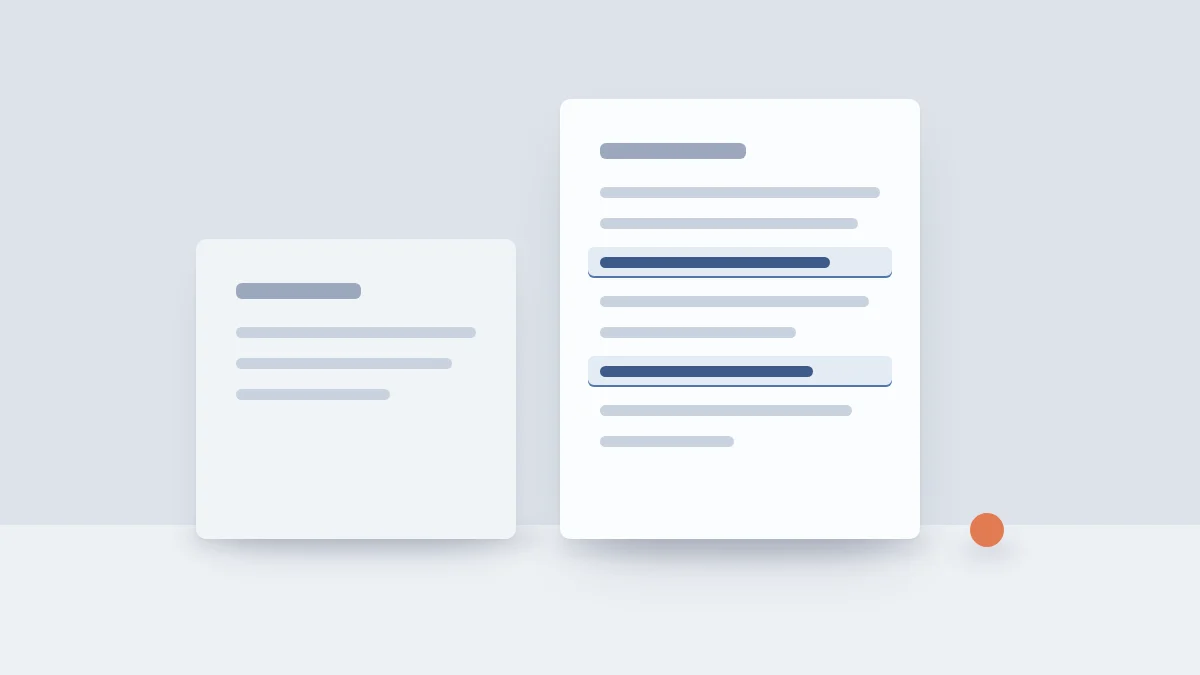
Here is the launch review as a standard note-taker writes it. Both versions in this section are examples written for this post.
- Summary: The launch moves to October 14, after the supplier contract is signed.
- Next step: Tom sends the contract to legal by Friday.
PokaMind Notes gives the same summary and next step, plus how the meeting went.
- Settled first: The date, in the first ten minutes, once legal's five days came up.
- Ideas that stalled: Priya's soft launch idea drew one question, then was parked at 12:41.
- Still open: Who tells the retailer about the new date.
- For next time: Give the soft launch its own slot, with a date attached.
- You: You said "I think maybe" three times before asking to keep the old date.
Each point comes with the line it rests on and the time. The stalled idea rests on this one: 12:41 Speaker 1 (you): Priya, let's park the soft launch. A reader can check the read against what was said, and disagree with it.
How you said it
The last row above is the part no note-taker writes. Communication style analysis in Notes is about your own part of the meeting, and it is for you. It reports observable signals, such as your tone of voice, your share of the talk, how many questions you asked, your pace, and how directly you put things, and on video calls your body language from your own camera. In the launch review it was 38% of the talk and two questions. It never guesses how you felt.
Accent analysis looks only at your own speech. It checks how clearly your speech carries in a room where people speak several languages: pace, intelligibility, and which words or idioms may not travel, with plainer ones to try. In the launch review it might note that "park it" may not travel, and suggest "pause it". It never infers where anyone is from, and it does not look at anyone else's speech.
Cultural reference and framing is a setting you choose. You pick the cultural communication context of the meeting or your audience, for example a more direct or a more indirect style, and Notes gives you references on how points are usually raised in that context and how to frame yours for it. It describes communication norms. It never labels a person.
Three rules hold for all of it. It is about you, not about the other people in the room. It is observable: what you said and how you said it, never what anyone felt. And it is yours to reflect on, not a report for anyone else. PokaMind is not for evaluating employees.
What about a general AI chat?
A general AI chat is a fair alternative, and for many people it is the first thing they try. Paste in a transcript, ask for a summary, ask who agreed to what, ask how the meeting went, and you will get an answer. If you know what to ask, it can do a lot. It will answer whatever you ask, though, even how people felt, which Notes is built never to guess. It also starts from zero each time and only sees what you paste in.
Notes does the job the same way after every meeting, so two meetings can be compared. The two are not rivals. Through MCP, an open standard that lets an AI assistant read from the tools you use, with your permission, Notes connects to the AI chat you already use. Keep the chat you like, and give it all your meetings.
All your meetings, in one place
One meeting tells you how it went. Fifty tell you what keeps happening. Once your meetings are kept in one place, you can ask across them: what was decided with this client this quarter, or what three months of project meetings look like from one angle.
Before you meet the same people again, Notes can give you a short brief from your past meetings with them: what was decided, what is still open, and what each person said they need, quoted. The stakeholder view shows, for the people you meet often, the topics they raised and the positions they stated, each with the meeting and the line. It is what they said, never a judgment of them, and people are linked across meetings only by the names you give them.
MCP, short for Model Context Protocol, is an open standard that lets an AI assistant read from the tools you use, with your permission. Connect Notes once, and an assistant such as Claude, ChatGPT or Microsoft Copilot, or the assistant you already use, can look across your meetings and answer questions like "Across my last 12 client calls, where did I lose the thread?" or "Am I asking more questions than I did in June?" It sees only your own meetings and the spaces you belong to, and you can disconnect it at any time. Once your assistant has an answer, its own terms apply. PokaMind connects to your assistant. It is not one.
Where does the read come from?
From two places only: what was said and when, and your own observable behavior. Each point quotes the line it rests on, with the time, and says "may" where it should. A read you can check is a read you can disagree with, which is the point.
It does not come from guessing how anyone felt. The EU AI Act rule on inferring emotions at work is part of why. Article 5 of the EU AI Act prohibits using AI to infer people's emotions at work, except for medical or safety reasons, and the Act defines that by reference to biometric data, such as voice and faces. Notes is designed not to do that, so the read is built from words and observable delivery instead. This is how we read the rule, not legal advice, and our FAQ says how PokaMind fits the EU AI Act.
Easier to hear from a tool
A remark from a colleague about how you ran a meeting comes with a stake in it. A read from a tool has none. That makes it easier to hear, and easier to check, because it quotes the line it rests on. It is still only a read: something to reflect on, never a decision about anyone.
Which one should you use?
Use a standard note-taker if what you need is a record: a transcript, a summary and the action items. Use a general AI chat if you want to ask your own questions about one transcript and are happy to write the prompt each time. Use PokaMind Notes if you want the same read after every meeting, a view of how you said it, and all your meetings in one place, including in the AI assistant you already use. They also work together: the facts from a note-taker, the questions from a chat, and the read from Notes.
The comparison table on the Notes page sets the three side by side. To see it on your own meetings, bring one you run every week to a demo.
Frequently asked
- Can I get the same from a general AI chat?
- Partly. You can paste a transcript into a general AI chat and ask, and it will answer whatever you ask, even how people felt, which Notes is built never to guess. Notes writes the same read after every meeting, answers only from what was said and when and from your own observable behavior, and through MCP it can feed that same AI chat.
- Does PokaMind Notes work on calls?
- Yes, on Zoom, Microsoft Teams and Google Meet, and in a room. Tell everyone in the meeting first, then press record. Anyone can say no, and if anyone does, do not record.
- Is it allowed at work in the EU?
- PokaMind Notes gives feedback on communication from observable behavior: what was said, how the meeting went and how you said it. It is designed not to read emotions, and it does not infer anyone's origin, ethnicity, nationality or cultural background. The person recording must tell everyone in the meeting first, and anyone can say no. PokaMind may not be used to evaluate employees. This is how we read the rules, not legal advice.